
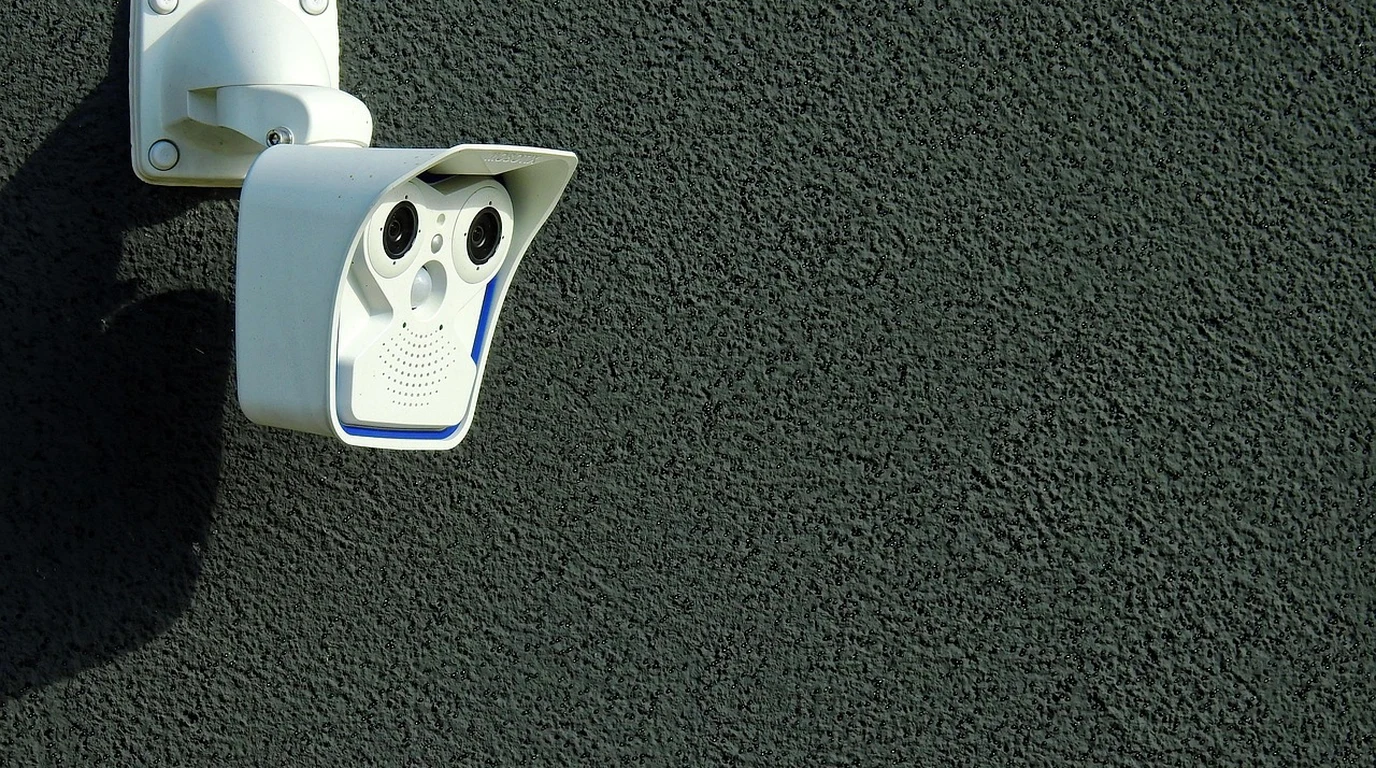
You mount a brand-new 4K PoE camera on your soffit, boot up the client, and marvel at the daytime image. The leaves on the trees are needle-sharp, the grass looks hyper-detailed, and you feel like you have secured your property with military-grade hardware for under a hundred dollars. Then night falls. At 2:14 AM, someone walks up your driveway. When you review the footage, the target does not look like a clear human being. Instead, you get a translucent, smeared grey apparition floating across a noisy, dark background. The moment they move faster than a slow walk, their face becomes an unrecognizable smudge of pixelated motion blur.
This failure mode is the dirty secret of budget IP camera marketing. Manufacturers know that consumer purchasing decisions are overwhelmingly driven by daytime resolution specs—specifically the “4K” label. But in physical optics and sensor engineering, higher pixel counts squeezed onto small silicon chips are the direct enemy of low-light performance. When you trade physical sensor surface area for raw megapixel count, night vision performance falls off a cliff.
Reolink 4K cameras rely on small 1/2.8″ sensors with high pixel density, causing severe low-light motion blur due to forced low shutter speeds. Commercial-grade Dahua 4MP/4K ColorVu (WizMind/Full-Color) units utilize massive 1/1.8″ or 1/1.2″ sensors with true 120dB WDR, capturing motion cleanly at 1/120s shutter speeds without aggressive noise reduction artifacts.
Why Does 4K Resolution Fail at Night? The Sensor Physics Explained
To understand why a 4MP camera can drastically outperform an 8MP (4K) camera at night, you must look at the physical mechanics of light collection. Photons are physical entities. An image sensor’s ability to render an image without digital noise depends directly on the number of photons hitting each individual light-sensing site (pixel pitch) during the exposure window.
Most consumer-grade 4K PoE cameras, including popular models like the Reolink RLC-810A or RLC-820A, pack 8.3 million pixels (3840×2160) onto a tiny 1/2.8-inch image sensor format. A 1/2.8″ sensor has an active surface area of roughly 14.8 mm². When you divide 14.8 mm² by 8.3 million photosites, each individual pixel measures approximately 1.45 micrometers (µm) across.
Now consider commercial-grade low-light hardware, such as Dahua’s WizMind 4MP series (e.g., IPC-HDW5442TM-ASE) or their 4K Full-Color lineup (e.g., IPC-Color4K-X). Dahua pairs a 4MP resolution (2688×1520) with a massive 1/1.8-inch sensor (approx. 28.5 mm² surface area) or a 1/1.2-inch sensor (approx. 58.3 mm² surface area).
- Reolink 4K (1/2.8″ Sensor): Pixel area ≈ 2.1 µm² per pixel. Limited photon capture capability.
- Dahua 4MP (1/1.8″ Sensor): Pixel area ≈ 8.4 µm² per pixel. Over 400% more light collected per pixel compared to 1/2.8″ 4K.
- Dahua 4K Full-Color (1/1.2″ Sensor): Pixel area ≈ 7.3 µm² per pixel. Combined with an ultralarge F1.0 aperture lens, this allows massive photon throughput even at full 8MP resolution.
When light levels drop, a camera with 1.45 µm pixels starves for photon data. To compensate, the camera’s Digital Signal Processor (DSP) must do two things: boost gain (which introduces heavy electrical noise) and lengthen the exposure shutter time. That exposure manipulation is where the low-light trap closes on the user.
Why Do Reolink Cameras Produce Motion Ghosting While Dahua Stays Crisp?
When an IP camera is exposed to dark scenes, its internal auto-exposure firmware must balance three settings: aperture size (usually fixed), gain amplification, and shutter speed. Budget camera firmware prioritizes producing a visually bright, noise-free static frame over preserving motion fidelity. This is designed deliberately to look good in static snapshot reviews.
To mask extreme digital noise generated by a small 1/2.8″ sensor, consumer camera firmware slows down the electronic shutter—often dropping to 1/12th or 1/25th of a second—and applies aggressive 3D Dynamic Noise Reduction (3D-DNR). 3D-DNR works by averaging pixel values across multiple consecutive temporal frames. If nothing in the frame moves, the picture looks pristine, bright, and noise-free.
However, if a person walks across the scene at 4 miles per hour (approx. 5.8 feet per second), their body traverses over 5 inches of space while a single 1/12s frame is being exposed. Because the 3D-DNR algorithm attempts to average those shifting pixels with the dark background pixels from adjacent frames, the moving subject is literally erased or rendered as a translucent ghost.
Commercial Dahua hardware allows administrators to hard-lock the manual shutter speed (e.g., 1/120s or 1/250s) while capping the maximum gain. Because a Dahua 1/1.8″ or 1/1.2″ sensor physically captures significantly more photons through its wide F1.0 or F1.2 optical assembly, the sensor maintains a high Signal-to-Noise Ratio (SNR) even at 1/120s. The result is crystal-clear frame-by-frame capture of a running target without temporal smearing or motion blur.
| Hardware Metric | Reolink RLC-810A / 820A | Dahua WizMind 4MP (5442 Series) | Dahua Full-Color 4K (1/1.2″) |
|---|---|---|---|
| Sensor Size & Resolution | 1/2.8″ CMOS (8MP / 4K) | 1/1.8″ CMOS (4MP) | 1/1.2″ CMOS (8MP / 4K) |
| Pixel Pitch Area | ~2.1 µm² | ~8.4 µm² | ~7.3 µm² |
| Lens Aperture | F2.0 (Restricted light flow) | F1.6 – F1.0 (High light flow) | F1.0 (Maximum light flow) |
| Wide Dynamic Range (WDR) | Digital WDR (Tone Mapping) | True 120dB Hardware WDR | True 140dB Hardware WDR |
| Forced 1/120s Shutter Image | Extremely dark, severe digital noise | Bright, clear, sharp full color | Reference-grade color & crisp detail |
| NVR Sub-stream Stability | Variable RTSP keyframes, dropouts | Rock-solid ONVIF Profile S/G/T | Rock-solid ONVIF Profile S/G/T |
What Happens to Dynamic Range and Lighting Arrays Under Real-World Conditions?
Nighttime surveillance is rarely a uniform black void; it is a chaotic mix of intense light sources (headlights, streetlamps, flashlights) and deep shadows. This contrast requires robust Wide Dynamic Range (WDR).
Reolink relies heavily on software-based Digital WDR (DWDR). DWDR applies spatial tone mapping algorithms to stretch contrast across a single exposure. When a vehicle drives into the field of view with bright halogen or LED headlights, DWDR cannot separate the light levels. The license plate reflects the camera’s infrared light or headlight illumination straight back into the lens, causing total dynamic blow-out: the license plate appears as a blinding white rectangle, completely unreadable.
Commercial Dahua units use True 120dB (or 140dB) Hardware WDR. The image sensor reads out two separate exposures per frame: a ultra-short exposure for highlighted areas (headlights, retro-reflective plates) and a longer exposure for shadowed areas (car make, model, driver face). The onboard ISP merges these exposures at the pixel level before encoding. This hardware-level process allows you to capture crisp, legible numbers on a retro-reflective license plate even while headlights point directly into the optical assembly.
Additionally, modern Dahua Full-Color arrays replace invisible 850nm IR LEDs with 3000K warm white LED illuminators. Standard IR light removes color data, rendering imagery in black and white where clothing color, vehicle paint, and hair color are lost. Dahua’s full-color assemblies utilize warm visible light to keep the image sensor operating in full chromatic mode 24 hours a day without blowing out nearby subjects.
How to Configure Dahua and Reolink Cameras for NVR Stability in Blue Iris and Frigate
If you are integrating these cameras into self-hosted Video Management Software (VMS) like Blue Iris or containerized AI engines like Frigate NVR, hardware specs are only half the battle. Video encoding configuration determines system stability and object-detection accuracy.
Reolink hardware uses a proprietary implementation of the RTSP/RTMP stack that frequently drops sub-stream connections when polled continuously by third-party software. Dahua, conversely, exposes enterprise-standard ONVIF profiles (Profile S, G, and T) alongside clean multi-unicast RTSP endpoints.
Follow this standard operating procedure to maximize image quality and stream stability on both platforms:
Step 1: Exposure and Shutter Hard-Locking
Log directly into the camera’s native web user interface via its local IP address (do not rely on consumer mobile apps for low-light calibration):
- Navigate to the camera’s image/conditions menu (
/cgi-bin/configManager.cgion Dahua or Image Settings on Reolink). - Disable Auto Exposure mode and select Manual / Custom Exposure.
- Set the Anti-Flicker setting to 60Hz (North America) or 50Hz (Europe).
- Set the Minimum Shutter Speed to
1/120s(for human walking paths) or1/250s(for vehicle/roadway capture). Note: On Reolink, if locking shutter to 1/120s makes the screen pitch black, the sensor lacks photon sensitivity; you will need to add external 850nm IR or 3000K white spotlight arrays. - Limit the Maximum Gain (AGC) to
50dB - 60dB. This prevents the DSP from injecting excessive artificial gain noise that degrades video compression.
Step 2: Encoding & Bitrate Configuration
Improper stream encoding causes high CPU usage, frame loss, and continuous reconnection loops in VMS platforms.
- Set the Main Stream Video Codec to
H.264(Main or High Profile) or standardH.265. - CRITICAL: Disable all vendor-proprietary “Smart Codec”, “H.265+”, or “Dynamic GOP” modes. These features drop critical i-frames (keyframes) during low-motion periods to save bandwidth, causing Frigate NVR’s
ffmpegpipeline to crash and Blue Iris to experience continuous keyframe delays. - Set the Frame Rate (FPS) to a steady
20 FPSor25 FPS. - Match the Key Frame Interval (GOP) directly to the FPS rate. If FPS is 20, set the Key Frame Interval to
20(or a 1:1 ratio). This guarantees a clean i-frame arrival every 1.0 second, which is essential for motion detection indexing. - Set Bitrate Control to
CBR(Constant Bit Rate) rather than VBR (Variable Bit Rate). Allocate at least6144 Kbpsfor 4MP resolution and8192 Kbps - 10240 Kbpsfor 4K resolution.
Step 3: RTSP Sub-stream Path Setup for VMS Integration
To run lightweight object detection (such as OpenCV or Coral TPU inferencing in Frigate NVR), stream lower-resolution sub-streams to the AI engine while piping the uncompressed high-resolution main stream direct-to-disk.
Use the following URI path structures for stable ingest:
Dahua RTSP Standard Paths:
- Main Stream:
rtsp://admin:[email protected]:554/cam/realmonitor?channel=1&subtype=0 - Sub Stream (for AI Detection):
rtsp://admin:[email protected]:554/cam/realmonitor?channel=1&subtype=1
Reolink RTSP Paths:
- Main Stream (H.264 models):
rtsp://admin:[email protected]:554/h264Preview_01_main - Main Stream (H.265 models):
rtsp://admin:[email protected]:554/h265Preview_01_main - Sub Stream (for AI Detection):
rtsp://admin:[email protected]:554/h264Preview_01_sub
If Reolink sub-streams show dropped frames or packet corruption in Frigate, switch the transport protocol inside your configuration file from standard UDP to forced TCP mode (e.g., rtsp_transport: tcp in your ffmpeg configuration block).
Frequently Asked Questions
Why is a 4MP security camera better than a 4K camera at night?
A 4MP camera typically distributes fewer pixels across a large physical image sensor (such as a 1/1.8″ format), yielding larger individual pixels (around 8.4 µm²). A standard consumer 4K camera squeezes 8.3 million tiny pixels (around 2.1 µm²) onto a smaller 1/2.8″ sensor. Larger pixels capture significantly more photons per millisecond, allowing the camera to maintain fast shutter speeds without temporal motion blur or noise at night.
Can Reolink cameras read license plates at night?
Reolink cameras generally struggle to capture moving license plates at night. Because their small sensors require low shutter speeds (1/12s to 1/30s) and software-based Digital WDR, moving vehicles suffer from severe motion blur, and the retro-reflective metal on license plates gets blown out by standard IR lights. Capturing legible license plates requires high shutter speeds (1/250s+), true 120dB Hardware WDR, and high optical photon intake.
Why does my Reolink RTSP sub-stream keep dropping out in Blue Iris or Frigate?
Reolink camera SoCs use a budget RTSP stack with variable keyframe delivery rates. When third-party NVRs like Blue Iris or Frigate request sub-streams without explicit TCP transport configurations, the camera’s RTSP implementation often drops packets or desynchronizes i-frames. Disabling smart encoding modes, enforcing fixed GOP intervals matching the frame rate, and using TCP transport mode stabilizes the connection.
What minimum shutter speed is required to stop motion blur on night vision cameras?
To capture a clean image of a walking human without ghosting, the shutter speed must be locked at a minimum of 1/120th of a second. For vehicles moving across a property line or street at 20-30 mph, the shutter speed must be locked at 1/250
NVR software capabilities rely heavily on optical hardware sensor size and shutter speed. For camera sensor benchmarks, explore our low-light comparison on UniFi Protect vs Frigate NVR: Detection & TCO Math.