
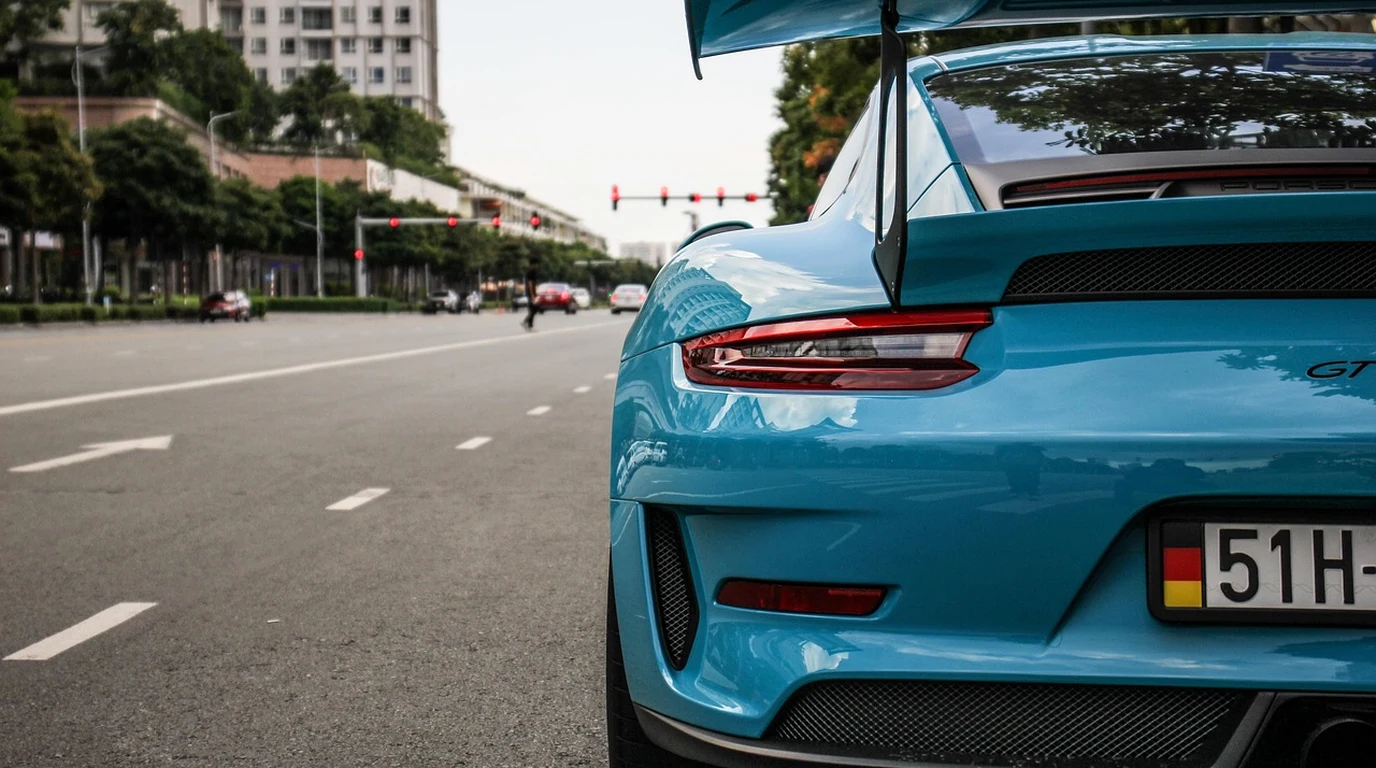
You have set up a pristine Frigate NVR stack, equipped your server with a Google Coral Edge TPU, mounted a 4K camera above your garage, and configured real-time vehicle detection. Everything looks flawless during your afternoon testing. But at 9:15 PM, a vehicle pulls into your driveway. You open your event log expecting a crisp plate reading, only to find a glowing, overexposed white rectangle trailing a smudge of motion blur across the screen.
This is the universally frustrating reality of License Plate Recognition (LPR) and Automatic Number Plate Recognition (ANPR). Most practitioners assume that throwing a higher-megapixel security camera and standard object detection at a driveway will magically harvest license plates. It won’t. Optical physics and computer vision pipelines require a radically different engineering approach.
For seamless Frigate NVR integration, Plate Recognizer (On-Premise Docker SDK) is the clear winner over OpenALPR. While OpenALPR is free and lightweight, its classical OCR engine struggles with angled, dark, or non-standard plates. Plate Recognizer’s deep-learning model delivers over 98% accuracy, sub-200ms processing, and effortless Home Assistant automation handling tilted or illuminated plates.
Why Does Your Standard Security Camera Fail at License Plate Recognition?
To understand why software engines fail, you first have to understand why standard camera optics fail. Standard security cameras are engineered for general surveillance: wide field of view (2.8mm to 4mm lenses), slow auto-shutter speeds (1/30s to 1/60s) to maximize light capture in the dark, and wide dynamic range (WDR) tuned for human perception. For LPR, these exact settings guarantee complete optical failure.
When a vehicle approaches at night, three distinct optical physics breakdowns occur simultaneously:
- Headlight Glare & Sensor Blinding: Vehicle headlights flood the camera’s image sensor with direct photons. The camera’s automatic exposure algorithm attempts to compensate by darkening the scene or enabling dynamic backlighting. Because standard dynamic range cannot handle the extreme delta between halogen/LED headlights and dark metal bodywork, the license plate (which sits between or adjacent to the headlights) is washed out into pure, unreadable white clipping.
- Optical Motion Blur: A vehicle moving at a modest 25 mph travels approximately 36.6 feet per second. At a typical security shutter speed of 1/30th of a second, the vehicle moves more than 1.2 feet while the shutter is open. In the image frame, the characters on the license plate smear across dozens of adjacent pixel columns, fusing letters like “B”, “8”, and “0” into an unparseable blur.
- Insufficient Pixel Density (PPM Breakdown): For an Optical Character Recognition (OCR) engine or deep neural network to reliably segment text, the license plate character height must meet a strict minimum resolution threshold measured in Pixels Per Meter (PPM)—or more practically, pixels per inch. General recognition requires at least 150 to 200 PPM across the target zone. A wide-angle 4K camera covering a 40-foot wide driveway delivers roughly 96 PPM across the entire horizontal field. When zoomed out, the license plate occupies a micro-region of only 40 to 60 pixels total horizontal width, giving OCR algorithms zero structural detail to parse.
To overcome these optical barriers before software processing even begins, a dedicated LPR capture camera must be configured with precise hardware and parameter constraints:
- Manual Shutter Speed Lock: Lock exposure manually between
1/1,000sand1/2,000s. This freezes vehicular movement up to 45 mph, turning motion blur to zero. The frame will look almost completely black at night to the human eye, which is the intended outcome. - High-Magnification Telephoto Optics: Replace wide-angle lenses with a 12mm to 50mm (or 5mm to 60mm) motorized varifocal lens. Zoom optically into a tight choke point—a frame width of just 10 to 12 feet at the vehicle capture zone. This yields 250+ PPM on the plate area.
- Strong 850nm Infrared (IR) & Anti-Reflective Filtering: License plates are coated with retroreflective retro-beads designed to bounce direct light back to its source. Pair a locked
1/1,000sshutter with high-intensity 850nm IR illuminators aligned close to the optical axis. The plate will shine brightly against a pitch-black background, completely overpowering ambient headlight glare. Turn off WDR and 3D Noise Reduction (3DNR), as 3DNR introduces temporal frame blending that ghost-smears fast-moving characters.
OpenALPR vs. Plate Recognizer: Which ALPR Engine Belongs in Your Frigate Stack?
Once your optical pipeline delivers clean cropped images of retroreflective plates to Frigate NVR, the heavy lifting shifts to the local recognition engine. The two dominant engines integrated into self-hosted Home Assistant and Frigate ecosystems are OpenALPR and Plate Recognizer.
While both aim to extract alphanumeric strings and metadata from image frames, their underlying machine vision architectures, resource requirements, and handling of edge-case artifacts diverge significantly.
OpenALPR: Classical CV with Lightweight Execution
OpenALPR (specifically the open-source core or locally deployed binary forks) relies heavily on classical computer vision primitives coupled with an optimized Tesseract OCR pipeline. Its processing chain follows strict sequential steps: high-contrast edge detection to locate candidate plate rectangles, deskewing/binarization transformation, vertical character segmentation, and character-by-character pattern matching.
Because OpenALPR uses written C++ primitives with minimal deep-learning overhead, its computational footprint is astonishingly light. Executing local binary recognition on a standard CPU takes 30ms to 70ms per frame without demanding a discrete GPU or specialized tensor hardware.
However, classical computer vision has structural limitations. OpenALPR suffers when plates are angled greater than 15 to 20 degrees relative to the camera lens, when plates feature decorative background graphics (such as custom state tags), or when physical damage, mud, or tow-hitches obscure character outlines. Furthermore, the open-source branch of OpenALPR has seen stagnated upstream development, leaving modern neural net techniques out of reach unless you transition to commercial enterprise licensing.
Plate Recognizer: Modern Deep Learning Pipeline
Plate Recognizer (available as a Local Docker Snapshot Engine / SDK or a Cloud API) takes a modern deep-learning approach. It utilizes customized Convolutional Neural Network (CNN) architectures trained on millions of real-world vehicular frames across global jurisdictions.
Rather than relying solely on rigid edge-detection heuristics, Plate Recognizer processes the image end-to-end. A YOLO-based object detection layer locates the plate boundary (even under extreme tilt angles up to 45 degrees), and a specialized sequence-to-sequence neural network reads characters simultaneously within context. This context-aware inference allows it to correctly differentiate between ambiguous characters (like the letter “O” versus the number “0”, or “I” versus “1”) based on learned license plate syntax formats for specific regions.
Plate Recognizer effortlessly handles stacked text (common on truck and motorcycle plates), dirty or bent plates, low-contrast shadows, and variable ambient lighting. Running the local Docker container (stream-engine or snapshot-engine) requires modest CPU power (or optional NVIDIA GPU acceleration) and consumes roughly 1GB to 2GB of RAM, completing full inference within 80ms to 180ms.
| Architectural Feature | OpenALPR (Open-Source Local) | Plate Recognizer (Local Docker Engine) | Plate Recognizer (Cloud API) | Practical Impact on Frigate Integration |
|---|---|---|---|---|
| Underlying Engine | Classical CV (C++) + Tesseract OCR | Deep CNN / End-to-End Sequence Nets | Deep CNN (Hosted Cloud Infrastructure) | Plate Recognizer adapts much better to non-standard fonts and angled captures. |
| Inference Latency | 30ms – 70ms (Host CPU) | 80ms – 180ms (Host CPU / GPU) | 300ms – 800ms (Network Dependent) | Local Docker allows immediate, low-latency gate actuation under 200ms total. |
| Tilted / Oblique Accuracy | Poor (>15° skew causes failure) | Excellent (Up to 45° skew handling) | Excellent (Up to 45° skew handling) | Allows flexible camera mounting heights and acute driveway angles. |
| State / Region Parsing | Basic pattern mapping (Config required) | Automatic US State / Int’l Recognition | Automatic US State / Int’l Recognition | Plate Recognizer returns clean state metadata (e.g., “CA”, “TX”) natively. |
| Deployment & Upkeep | Open-source build; manual tuning | Docker Container (Commercial Token / SDK) | REST API Endpoint (Monthly lookup quotas) | Cloud API requires zero host RAM/GPU; Local Docker guarantees zero internet dependency. |
How Do You Architecture Frigate for Sub-200ms LPR Detection?
A common architecture mistake is attempting to make Frigate perform full license plate OCR natively across every incoming video frame. Frigate is optimized for real-time temporal object detection—identifying that a “car”, “person”, or “dog” is in a frame using high-efficiency hardware accelerators like the Google Coral Edge TPU or Intel QuickSync.
Running continuous deep OCR on continuous 30fps high-resolution streams will cripple host CPU and Edge TPU resources. Instead, employ a Dual-Camera or Dual-Stream Event-Driven Architecture:
- The Trigger Stage (Frigate + Coral TPU): Frigate monitors your overview camera or low-res sub-stream. The Coral TPU identifies a
carentering a defined detection zone. Frigate initiates an tracking event. - The Payload Hand-off (MQTT / Webhooks): Upon object detection confirmation, Frigate emits a JSON payload to your MQTT broker under the topic
frigate/events. - The High-Resolution Crop Execution: An integration service (such as Double Take, custom Python middleware, or direct Home Assistant automations) intercepts the MQTT event, grabs the uncompressed high-resolution snapshot frame from the dedicated LPR camera via Frigate’s API (
/api/events/<event-id>/snapshot.jpg?crop=1), and sends that frame directly to the Plate Recognizer engine. - Inference Output & Processing: Plate Recognizer parses the full-resolution crop, executes deep neural detection, and returns an immediate JSON response containing the plate string, confidence percentage, vehicle color, and orientation within 150ms.
This asynchronous cascade preserves system host resources while ensuring that the deep learning OCR engine only runs when a verified vehicle is physically positioned inside your capture window.
How Do You Automate Gates and Alerts in Home Assistant Using LPR Events?
Here is your complete, step-by-step 4:00 PM resolution playbook to deploy an automated LPR workflow today, bridging Frigate, Plate Recognizer, and Home Assistant.
Step 1: Mount and Lock Down Dedicated LPR Camera Settings
Position your dedicated LPR camera to face oncoming vehicle traffic at an angle of less than 30 degrees off the lens centerline. In the camera’s web UI, lock the following parameters:
- Image Mode: Manual / Day/Night set to Night Mode Always (or forced IR).
- Shutter Speed: Fixed at
1/1000s(adjust to1/2000sif street speeds exceed 35 mph). - Gain Control: Limit Maximum Gain to 30% to minimize image noise.
- Iris: Manual / Fixed open. Enable 850nm IR LEDs at 100% power.
Step 2: Deploy Plate Recognizer Engine via Docker Container
Deploy the local Plate Recognizer Snapshot SDK container on your home server (or docker host) alongside Frigate:
docker run -d \
  --name platerecognizer \
  --restart unless-stopped \
  -p 8080:8080 \
  -e LICENSE_KEY=your_sdk_license_key \
  -e TOKEN=your_api_token \
  platerecognizer/alpr-gpu:latest
Step 3: Configure Frigate Event Snapshot Export
In your config.yml for Frigate, ensure high-resolution snapshot saving is active for your LPR camera choke zone:
cameras:
  driveway_lpr:
    ffmpeg:
      inputs:
        - path: rtsp://admin:[email protected]:554/preview0_main
          roles:
            - record
            - detect
    detect:
      width: 1920
      height: 1080
      fps: 15
    objects:
      track:
        - car
        - truck
    snapshots:
      enabled: true
      crop: false
      bounding_box: false
Step 4: Create the Home Assistant MQTT / LPR Processing Automation
Using Home Assistant’s native REST integration and automation engine, process Frigate’s vehicle snapshots through Plate Recognizer, parse the recognized string, and execute immediate security actions.
Add the REST command configuration to your configuration.yaml:
rest_command:
  process_lpr_snapshot:
    url: "http://192.168.1.100:8080/v1/plate-reader/"
    method: POST
    headers:
      Authorization: "Token YOUR_PLATE_RECOGNIZER_TOKEN"
    payload_template: '{"upload_url": "http://192.168.1.100:5000/api/events/{{ event_id }}/snapshot.jpg"}'
    content_type: "application/json"
Now, deploy the Home Assistant Master Automation Script to automate gate opening for recognized homeowner vehicles, append incoming plates to a log, and issue actionable mobile push alerts for unrecognized entries:
alias: "LPR: Vehicle Arrival Processing Pipeline"
trigger:
- platform: mqtt
topic: frigate/events
payload: "car"
value_template: "{{ value_json.after.label }}"
condition:
- condition: template
value_template: "{{ trigger.payload_json.type == 'end' }}"
- condition: template
value_template: "{{
High-Shutter LPR Optics & Vehicular Motion Freezing
Deploying long-range thermal detection pairs with high-speed optical license plate identification. For driveway camera configurations, see our guide on Thermal Perimeter Security: FLIR vs Bi-Spectrum Optics.