
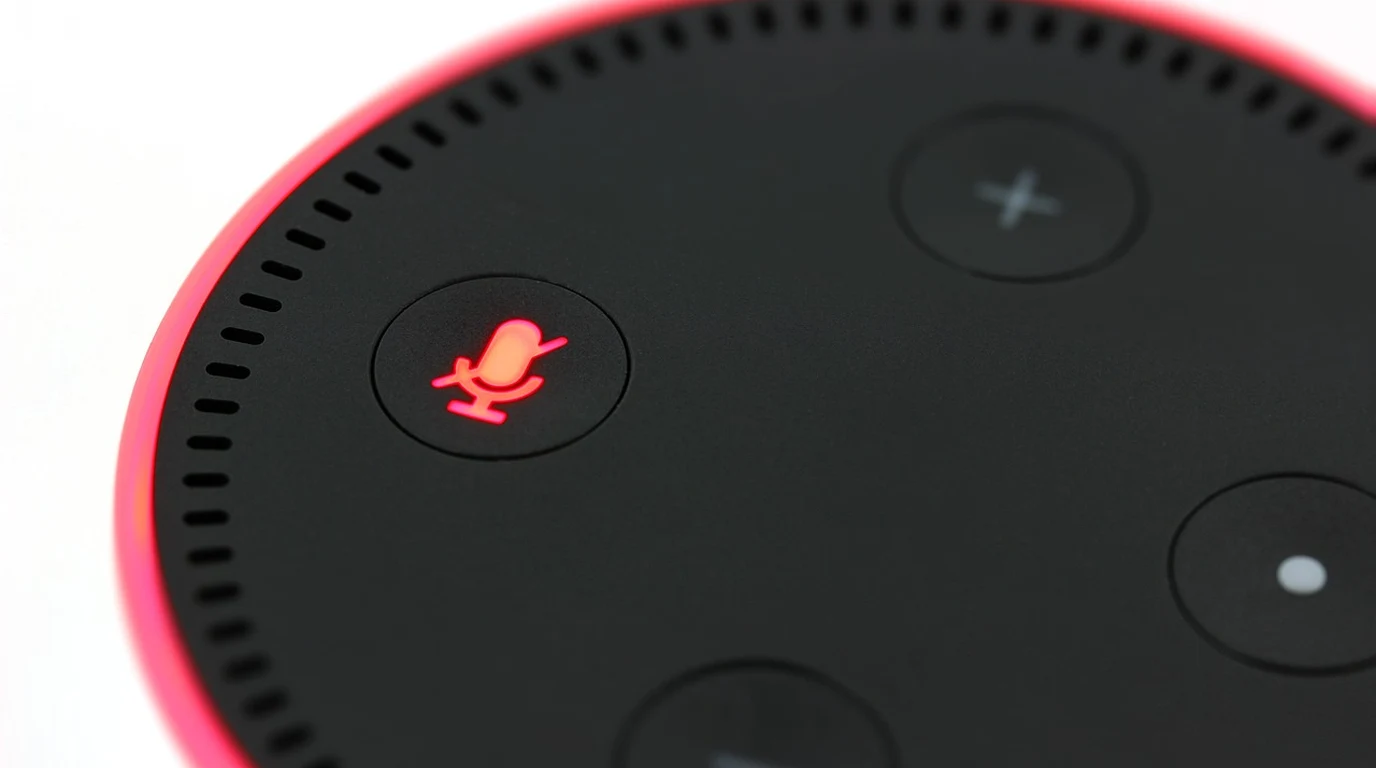
Building a local voice ecosystem using Home Assistant’s Wyoming Protocol completely replaces cloud speakers like Alexa by streaming microWakeWord audio directly to local Whisper STT and Piper TTS engines. This achieves total privacy, zero subscription fees, and sub-800ms command execution even during complete internet outages.
Why Are Commercial Voice Assistants Failing the Modern Smart Home?
The commercial voice assistant landscape is built on a business model that is fundamentally at odds with smart home reliability. Tech conglomerates originally sold smart speakers at or below cost, projecting that voice shopping, monthly subscriptions, or targeted advertising would recoup the hardware subsidies. As those revenue streams failed to materialize, cloud infrastructure budgets were trimmed, hardware developments stagnated, and monetization techniques—like unsolicited “By the way…” announcements—were injected straight into your living room. From a pure systems engineering standpoint, routing a request to toggle a light switch through a remote data center introduces dozens of points of failure: * DNS Resolution & Internet Transport Latency: A roundtrip API call from your local network to an AWS or Google Cloud endpoint introduces anywhere from 300ms to 2000ms of transport and queueing delay. * Data Aggregation and Privacy Loss: Audio streams are evaluated, transcribed, and indexed off-premises. Even when privacy toggles are enabled, metadata regarding your daily routines, presence, and device usage remains accessible to cloud vendors. * Brittle Cloud Dependency: If your WAN connection drops, your local smart home effectively goes mute. A voice assistant that cannot operate offline fails the most basic resilience test for critical household control. The open-source community responded with Home Assistant’s “Year of the Voice” initiative, creating a fully decoupled, open architecture designed to run 100% locally on your home network. By utilizing tiny edge devices (satellites) to detect wake words and streaming audio over a dedicated protocol to local inferencing engines, you achieve a level of speed, control, and privacy that cloud commercial speakers cannot match.How Does the Home Assistant Wyoming Architecture Actually Work?
To build a private voice setup that rivals commercial off-the-shelf devices, you must understand the decoupled stack powering Home Assistant’s voice pipeline. Rather than forcing a single machine to handle ambient listening, speech-to-text conversion, natural language intent parsing, and text-to-speech synthesis, Home Assistant abstracts these duties into modular microservices linked by the Wyoming Protocol. “` +———————————————————————————–+ | Wyoming Satellite | | [ Microcontroller / SBC ] — (Local Wake Word: microWakeWord / openWakeWord) | +———————————————————————————–+ | Wyoming TCP Stream (Raw PCM) v +———————————————————————————–+ | Home Assistant Core / Server | | | | 1. Speech-To-Text (STT) –> Faster-Whisper / Distil-Whisper | | 2. Intent Processing –> Home Assistant Assist Engine | | 3. Text-To-Speech (TTS) –> Piper Synthesis Engine | +———————————————————————————–+ “` Wyoming is an open, lightweight TCP-based protocol developed by Nabu Casa that standardizes how event data and raw audio (PCM format) flow between voice satellites and processing servers. Here is how the components interact during a single command cycle: 1. Wake Word Detection (The Satellite Edge): A low-cost satellite node (such as an ESP32-S3 microcontroller or Raspberry Pi Zero 2W) constantly listens to ambient room audio. It processes this audio locally using microWakeWord—a highly optimized TensorFlow Lite Micro neural network. Because wake-word detection happens entirely on the satellite, zero audio data is sent across your network while the room is quiet. 2. Audio Streaming (Wyoming Protocol): The instant the wake word (e.g., “Okay Nabu” or “Hey Jarvis”) is recognized, the satellite opens a Wyoming TCP socket connection (typically over port 10300) to your Home Assistant server and begins streaming raw, uncompressed PCM voice audio. 3. Speech-to-Text (Faster-Whisper STT): The incoming stream is passed directly to Faster-Whisper, a local implementation of OpenAI’s Whisper model accelerated by CTranslate2. Running on your local server’s CPU or GPU/NPU, Whisper transcribes the spoken audio into text in 150ms to 300ms. 4. Intent Engine (Home Assistant Assist): The transcribed text is handed to Assist, Home Assistant’s native intent parser. Assist matches the command string against your entities, aliases, and custom script triggers (e.g., matching “set the workshop lights to fifty percent” to `light.turn_on` with a brightness payload of 128). 5. Text-to-Speech (Piper TTS): Once the state change executes, Assist generates a text response (e.g., “Set workshop lights to 50 percent”). This text string is sent to Piper, an extraordinarily fast local neural text-to-speech engine optimized for VITS voice models. Piper synthesizes natural-sounding audio in under 100ms. 6. Audio Playback: The synthesized audio waveform is transmitted back over the Wyoming stream to the originating satellite device and played out through its speaker. Because every step occurs inside your local subnet over high-speed LAN sockets, total turn-around time is typically 400ms to 800ms—substantially faster than commercial cloud round-trips.The Architecture & Cost Comparison Matrix
Many smart home enthusiasts hesitate to replace their Echo Dots or Google Nests because they assume local voice control requires multi-thousand-dollar rack servers or complex custom code. The reality is that low-cost microcontrollers combined with modern localized models offer equal or superior acoustic performance with absolute data privacy. The following matrix breaks down the differences between commercial cloud platforms and custom Wyoming satellite implementations.| Architecture Metric | Commercial Cloud (Amazon Alexa / Google) | Wyoming Node: ESP32-S3 (Atom Echo / BOX-3) | Wyoming Node: Pi Zero 2W + ReSpeaker HAT |
|---|---|---|---|
| Data Privacy & Audio Streams | Uploaded to third-party cloud servers; retained for training and profiling. | 100% Local LAN. Audio never leaves your home network boundary. | 100% Local LAN. Audio streams directly to your local Wyoming pipeline. |
| WAN Dependency & Outage Resilience | Complete failure during ISP outages or AWS service degradation. | Fully operational offline. Relies entirely on local LAN and HA Core. | Fully operational offline. Zero internet dependency required. |
| Command Latency (Typical) | 1200ms – 3500ms (Subject to WAN queueing and cloud server load). | 500ms – 900ms (Dependent on server STT inference speed). | 400ms – 800ms (Fast TCP stream handoff over Wi-Fi). |
| Acoustic Processing & AEC | Hardware DSP array with aggressive Cloud AEC (Acoustic Echo Cancellation). | Basic software AEC. Best for small rooms and low background noise. | Hardware DSP / dual-mic beamforming. Excellent noise suppression. |
| Hardware Unit Cost | $25 – $100+ (Subsidized by corporate data ecosystem). | $13 – $45 total hardware cost. Zero ongoing fees. | $35 – $55 total hardware build. Zero ongoing fees. |
| Wake Word Customization | Restricted to vendor presets (“Alexa”, “Computer”, “Echo”). | Fully customizable via openWakeWord or microWakeWord models. | Fully customizable local wake words trained on synthetic audio. |
What Hardware Should You Select for Local Satellites?
Choosing the right satellite hardware involves balancing price, physical footprints, and acoustic performance. Microcontrollers and single-board computers serve two distinct use cases in a local voice build. “` +—————————————————————–+ | SATELLITE HARDWARE CHOICE MATRIX | +—————————————————————–+ | +——————–+——————–+ | | v v [ ESP32-S3 Microcontroller ] [ Raspberry Pi Zero 2W ] —————————- ———————— * Cost: $13 – $45 * Cost: $35 – $55 * Instant boot (RTOS) * Full Linux OS (Debian) * Ultra-low power (~1W) * Software DSP / AEC Engine * ESPHome zero-code YAML * Dual-mic array HATs * Ideal for: Bedside, Desks * Ideal for: Open Living Areas “` ### Option 1: The Microcontroller Route (ESP32-S3) Microcontrollers running ESPHome represent the most accessible path to building voice nodes. Modern ESP32-S3 chips feature vector instructions (MCU extension) specifically designed to accelerate neural networks like microWakeWord directly on the silicon. * M5Stack Atom Echo ($13): The absolute entry point. It is roughly the size of a postage stamp, contains an ESP32-PICO chip, an internal microphone, and a 0.5W speaker. While its tiny speaker limits audio playback quality for music, it works exceptionally well as a compact voice trigger on nightstands or desks. * ESP32-S3-BOX-3 ($45): The gold standard for self-contained microcontroller satellites. It features a dual-microphone array, built-in hardware acoustic processing, a crisp touchscreen display, an integrated speaker, and sufficient RAM to process microWakeWord with near-zero false positives. ### Option 2: The Single-Board Computer Route (Raspberry Pi Zero 2W) For rooms with higher background noise—such as open-concept kitchens or living rooms—a Raspberry Pi Zero 2W coupled with an I2S dual-microphone HAT offers superior acoustic processing. * Hardware Setup: A Raspberry Pi Zero 2W combined with a Seeed Studio ReSpeaker 2-Mics Pi HAT ($12) or Waveshare Dual Microphones HAT. * Acoustic Advantages: Running full Linux enables software-based Acoustic Echo Cancellation (AEC) and Noise Suppression (NS) via Speex or WebRTC processing daemons. This setup allows the satellite to accurately pick up your voice across a room even while the speaker is actively playing audio at high volume.Actionable Playbook: Deploying Your First Local Wyoming Satellite
This playbook takes you step-by-step through configuring a fully local voice satellite using an ESP32-S3 board with ESPHome and pairing it with Home Assistant’s Wyoming server components. “` +———————————————————————————–+ | 4-STEP IMPLEMENTATION FLOW | | | | [Step 1: Install Services] -> [Step 2: Flash ESP32 Node] | | | | | [Step 4: Custom Intents] <- [Step 3: Pair Pipeline] | +-----------------------------------------------------------------------------------+ ``` ### Step 1: Install Central Voice Services on Home Assistant Before provisioning hardware satellites, ensure your central Home Assistant instance has the required local speech engines installed and running. 1. Navigate to your Home Assistant dashboard and open the Add-on Store (Settings -> Add-ons -> Add-on Store). 2. Search for and install the Whisper add-on. * *Configuration:* Set the model to `distil-medium.en` or `faster-whisper` `tiny-int8` (depending on your host hardware CPU/GPU performance). * Set the language to your local language (e.g., `en`). 3. Search for and install the Piper add-on. * *Configuration:* Choose your preferred voice model (e.g., `en_US-lessac-medium`). 4. Verify that both services start successfully. They automatically register as Wyoming providers under Settings -> Devices & Services. ### Step 2: Flash and Configure the ESP32-S3 Wyoming Satellite Using ESPHome, you can deploy a pre-configured firmware image to an ESP32-S3 target directly from your web browser. 1. Connect your ESP32-S3 board (e.g., ESP32-S3-BOX-3 or Atom Echo) to your computer using a USB-C data cable. 2. Open web.esphome.io in a WebSerial-compliant browser (Chrome or Edge). 3. Flash the default ESPHome browser firmware onto your micro-controller. 4. Once connected to your local Wi-Fi network, add the node to your ESPHome dashboard. Insert the following production-tested voice pipeline block into your node’s YAML configuration: “`yaml esphome: name: living-room-satellite friendly_name: Living Room Satellite esp32: board: esp32-s3-devkitc-1 framework: type: esp-idf # Enable low-latency micro-wake-word listening engine on MCU micro_wake_word: models: – model: okay_nabu voice_assistant: micro_wake_word: okay_nabu speaker: i2s_speaker microphone: i2s_microphone noise_suppression_level: 2 auto_gain: 31dB volume_multiplier: 2.0 on_listening: – light.turn_on: id: status_led red: 0% green: 100% blue: 0% on_end: – light.turn_off: status_led # I2S Microphone Hardware Routing i2s_audio: i2s_lrclk_pin: GPIO43 i2s_bclk_pin: GPIO44 microphone: – platform: i2s_audio id: i2s_microphone adc_type: external i2s_din_pin: GPIO42 pdm: false bits_per_sample: 32bit sample_rate: 16000hz “` 5. Click Install -> Wirelessly to compile and push the binary to the microcontroller node. ### Step 3: Configure the Voice Pipeline in Home Assistant Core Once the hardware node boots up and connects to your local network, Home Assistant will automatically discover the satellite via Native API / Wyoming integration. 1. Navigate to Settings -> Devices & Services. You should see a notification for a newly discovered ESPHome device. Click Configure and assign it to a room area (e.g., “Living Room”). 2. Go to Settings -> Voice Assistants. Click Add Pipeline. 3. Configure your new local voice pipeline with these parameters: * Name: `100% Local Pipeline` * Conversation Agent: `Home Assistant` * Speech-to-Text: `Whisper (Wyoming)` * Text-to-Speech: `Piper (Wyoming)` * Wake Word: Controlled by local microWakeWord engine on satellite. 4. Set this newly created pipeline as your Default Pipeline. ### Step 4: Add Custom Intent Aliases for Instant Execution To make your voice commands feel fast and forgiving, set up entity aliases inside Home Assistant. This eliminates the need to remember exact entity IDs or precise friendly names when issuing spoken requests. 1. Go to Settings -> Areas & Zones -> Devices & Entities. 2. Select a target entity, such as `light.kitchen_under_cabinet_leds`. 3. Click the settings gear icon and expand the Voice Assistant panel. 4. Add practical, conversational aliases under your local pipeline configuration: “` Aliases: – “Kitchen Counter Lights” – “Under Cabinet Lights” – “Counter Lights” “` Now, saying *”Okay Nabu, turn on the counter lights”* will resolve to `light.kitchen_under_cabinet_leds` in under 600 milliseconds, fully offline, without any audio data ever touching an external cloud server.Frequently Asked Questions
Can Wyoming satellites hear commands clearly while music or noise is playing?
Microcontroller satellites like the ESP32-S3 Atom Echo rely on basic software noise filtering, which can struggle if placed directly next to loud speakers. However, satellites built with dual-microphone arrays (like the ESP32-S3-BOX-3 or a Raspberry Pi Zero 2W with a ReSpeaker HAT) feature hardware-level Acoustic Echo Cancellation (AEC) and beamforming. These hardware arrays isolate your voice from ambient room noise or music playback effectively.
How much host CPU/GPU hardware is required to run local Whisper and Piper?
Running local voice inference does not require a massive server. A dedicated Mini PC running an Intel N100 CPU can run the faster-whisper tiny/base models and Piper TTS with sub-800ms command resolution. If you have an existing Home Assistant Green or Raspberry Pi 4 (4GB), using the tiny-int8 quantized Whisper model yields fast processing times for standard home automation commands.
Can I customize my local wake word to sound like Star Trek or Jarvis?
Yes. By utilizing openWakeWord or microWakeWord, you can train or load pre-trained custom wake word neural models. Popular community-trained wake words include “Computer”, “Hey Jarvis”, “OK Nabu”, and “Hey Mycroft”. Custom models are loaded directly into the satellite’s microWakeWord configuration without requiring central server reconfigurations.
Can I still use my existing Amazon Echo dots purely as media players?
Yes. You can disable the cloud wake-word micro-phones on your Amazon Echo devices (via the hardware mute button) and integrate them into Home Assistant using the Alexa Media Player integration via HACS. This allows Home Assistant to use the Echos as plain local media renderers for notification broadcasts while relying entirely on dedicated Wyoming satellites for private voice control.
Pairing dedicated hardware voice satellites with high-throughput central speech engines delivers instant local responses. For Wyoming Satellite vs Alexa tests, read ESP32-S3 Box 3: Local Voice Satellite Setup Guide.